
Report an issue
EditFound a bug or unexpected behaviour in /e/OS? Reporting it on our issue tracker is the best way to get it looked at and fixed. Here is how.
Create your GitLab account
Reporting an issue requires an account on our GitLab instance, gitlab.e.foundation.
- Already have an account? Log in.
- New here? First create a Murena Workspace account, then sign up on GitLab with your
murena.ioemail address.
Why a Murena email? Registration is limited to a few email domains to keep fake accounts from overwhelming our servers. If your usual email is rejected during sign-up, use the
murena.ioaddress created above.
Search before you report
Open the issue dashboard and check that your problem has not already been reported:
- Type a few keywords describing the bug in the search box at the top of the page.
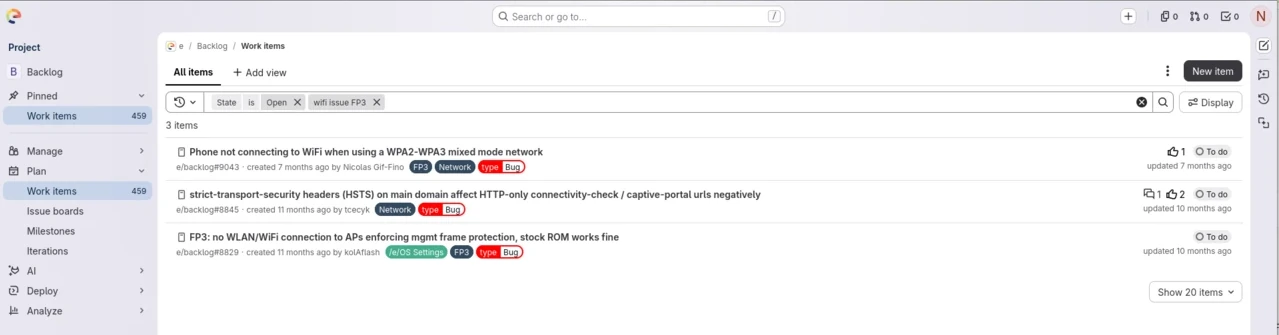
- Look through the similar issues that come up. If none matches, go ahead and create a new one.
Create a new issue
- Open a new bug report — the 1-bug template is pre-selected. For a different kind of report, pick another template from the Choose a template drop-down.
- Give the issue a clear, descriptive title.
- Fill in every detail the template asks for.
- Whenever possible, attach a log — it helps developers debug much faster.
- Click Submit issue.
Tip: The issue description supports GitLab Markdown for formatting — headings, lists, code blocks and links.